ALPHA POC
Sign In
Shifts · Attendance · Payroll

Alpha Shifts
from the roster to payroll.

The manager builds the weekly roster by drag and drop. Employees clock in and out in the app, and the system checks they are really on site. At month end you approve the hours and download a payroll file.
manage · Shifts & attendance
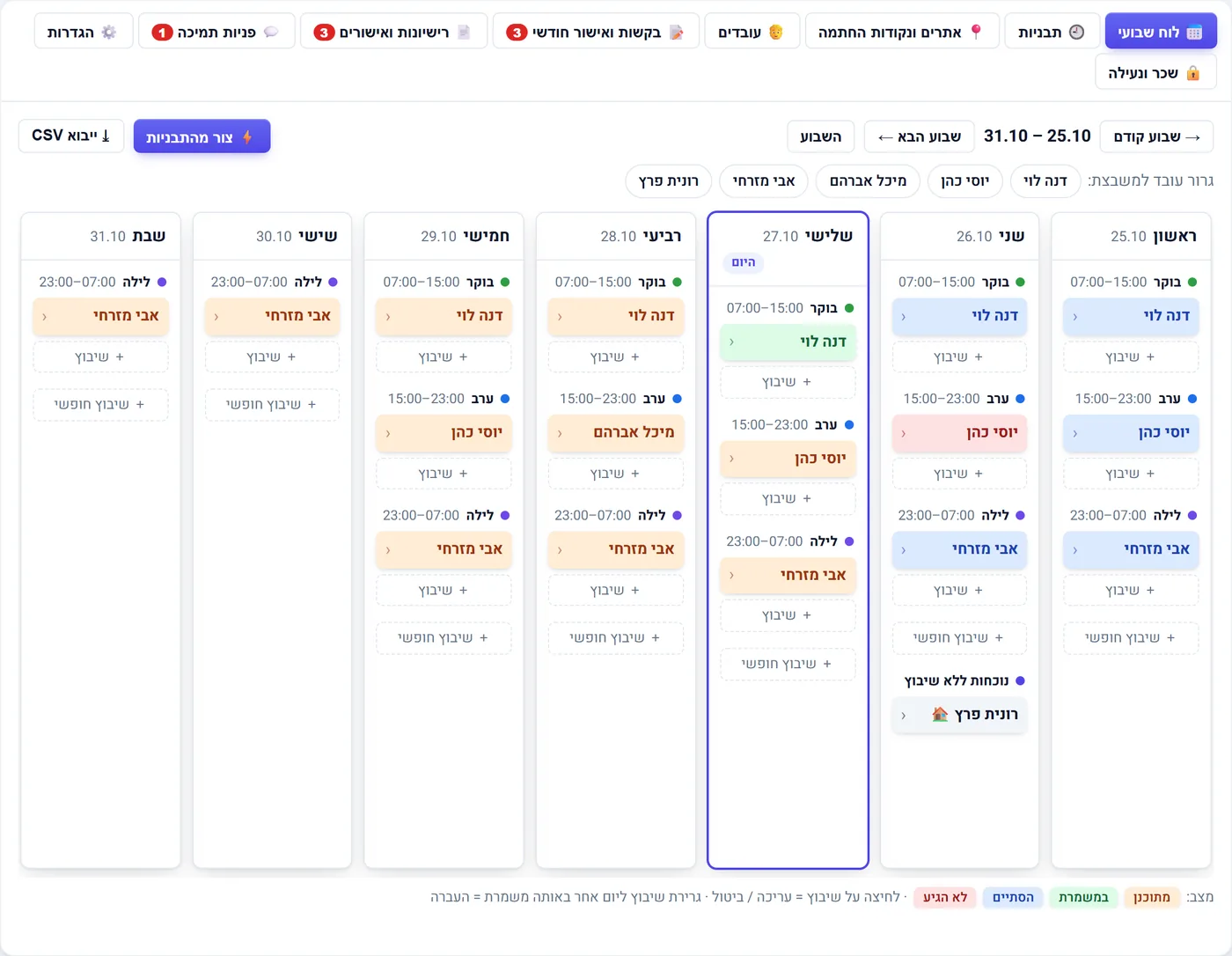
Weekly shift board: a column per day, morning/evening/night, assigned employees colored by status
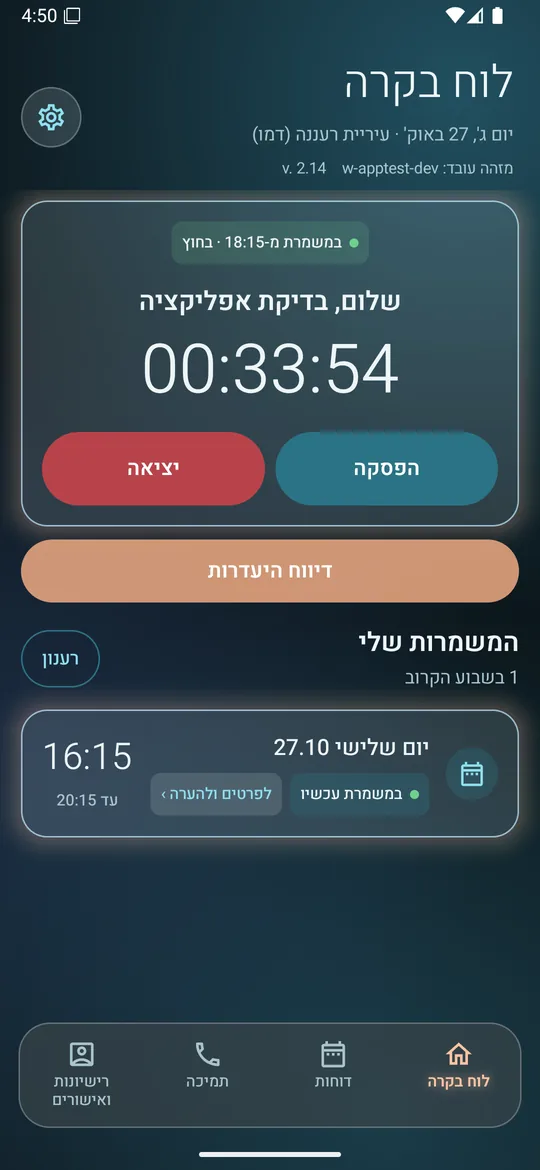
Alpha Shifts app: dashboard with an active shift timer, break and clock-out buttons
The employee app

Clock in, break, clock out
in one tap.

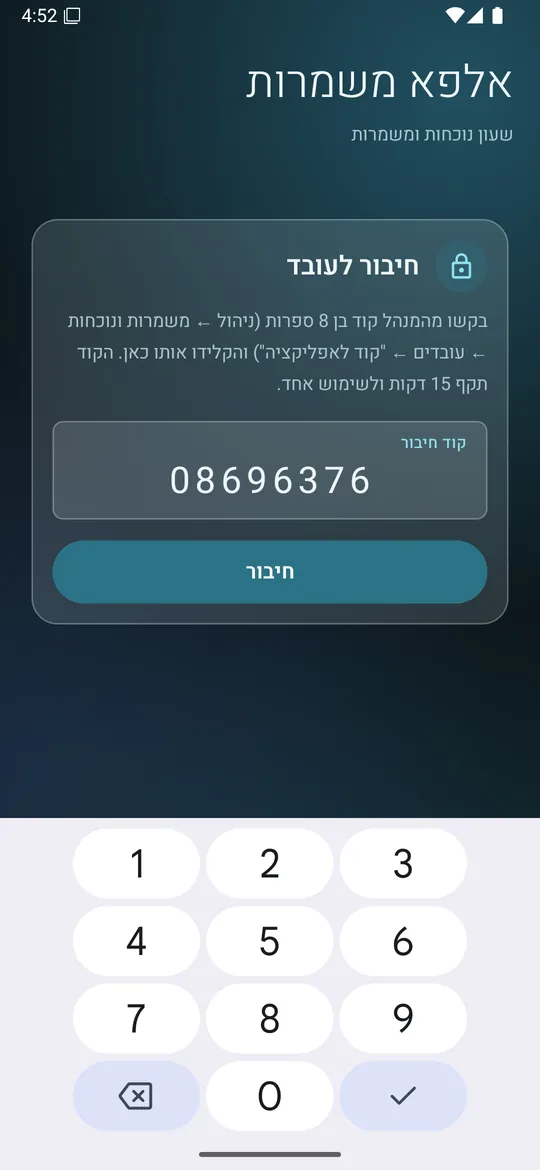
A separate Android app. Employees connect with an 8-digit code sent by the manager — no username, no password — and see their own shifts and hours.

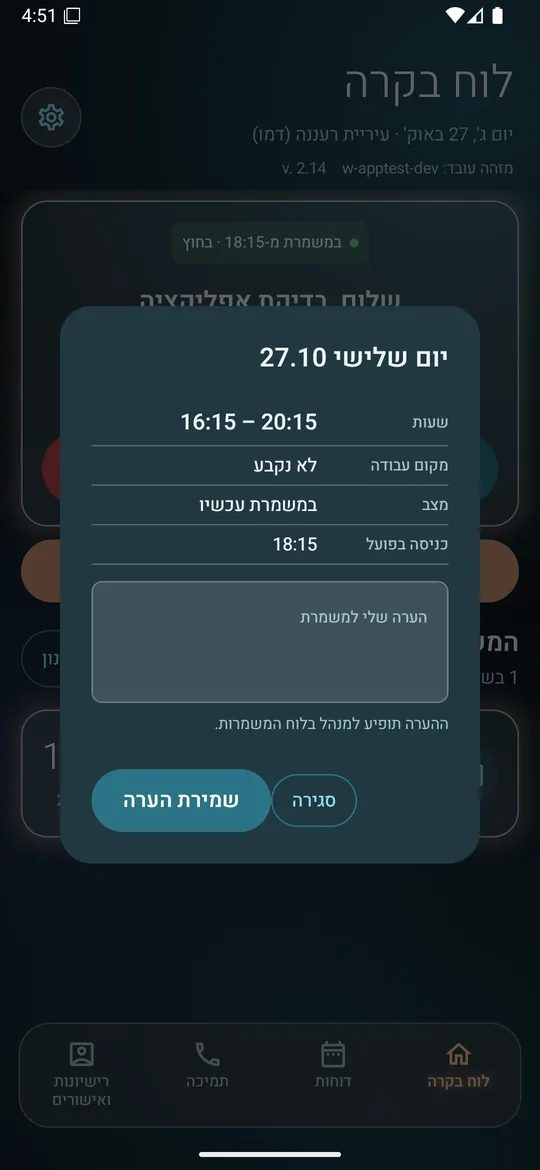
Shift details
Dashboard with an active shift timer
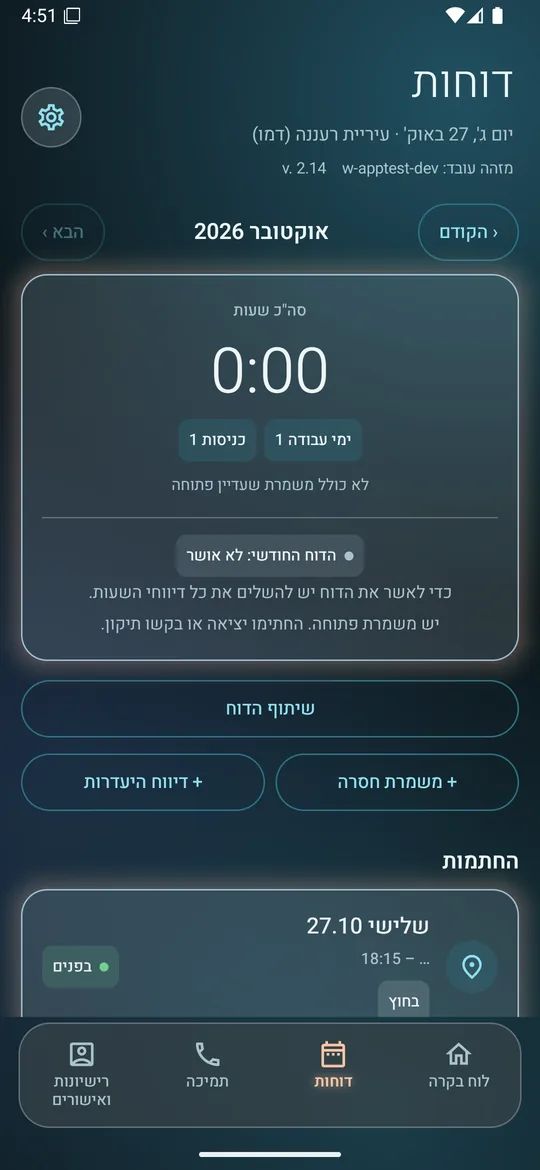
Reports: this month's hours
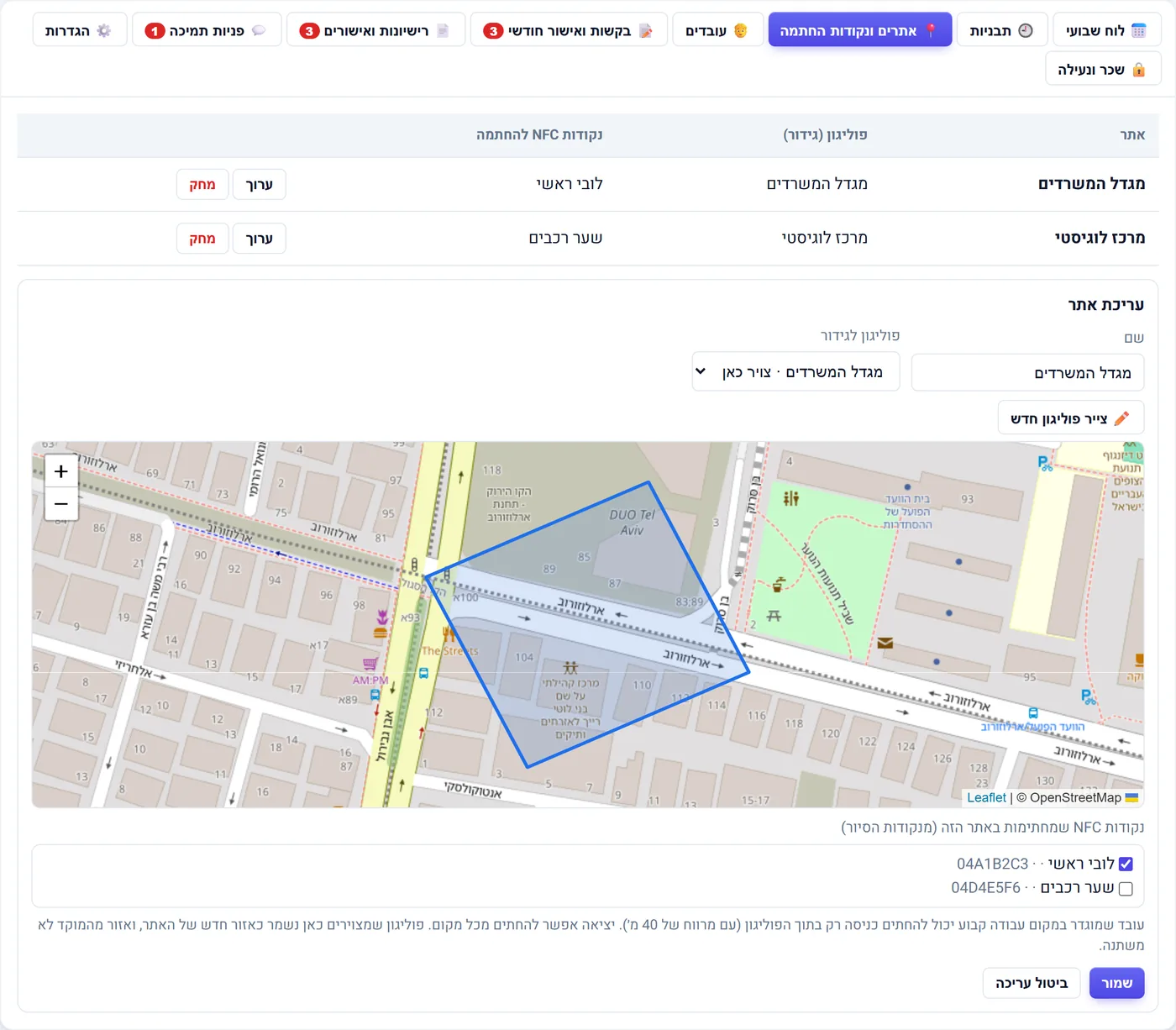
Site boundary on the map

Know your people
are really on site.

Draw the site boundary on the map. A punch outside it is flagged to the manager, and you can add an NFC point for clocking in at a post.

manage · Sites & punch points
Editing a site with its boundary drawn on the map
Payroll & locking

From the clock
straight to payroll.

Hour corrections and a monthly sign-off by the employee and the manager, then a payroll CSV with night, weekend and holiday hours. Once locked, the month stays put.

manage · Payroll & locking
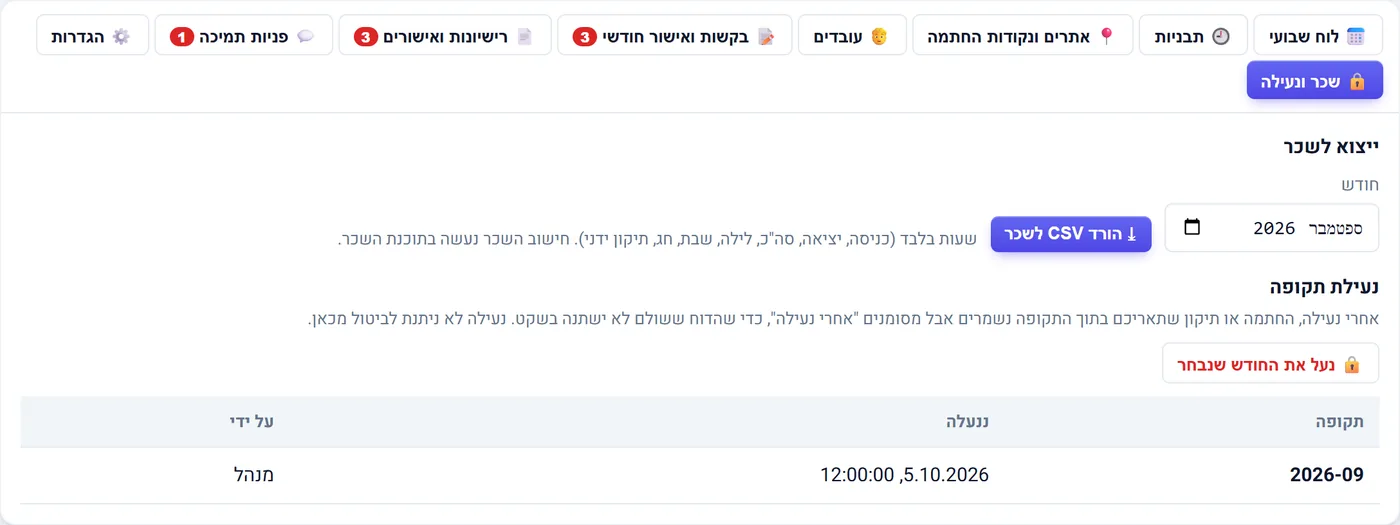
Payroll export and period lock
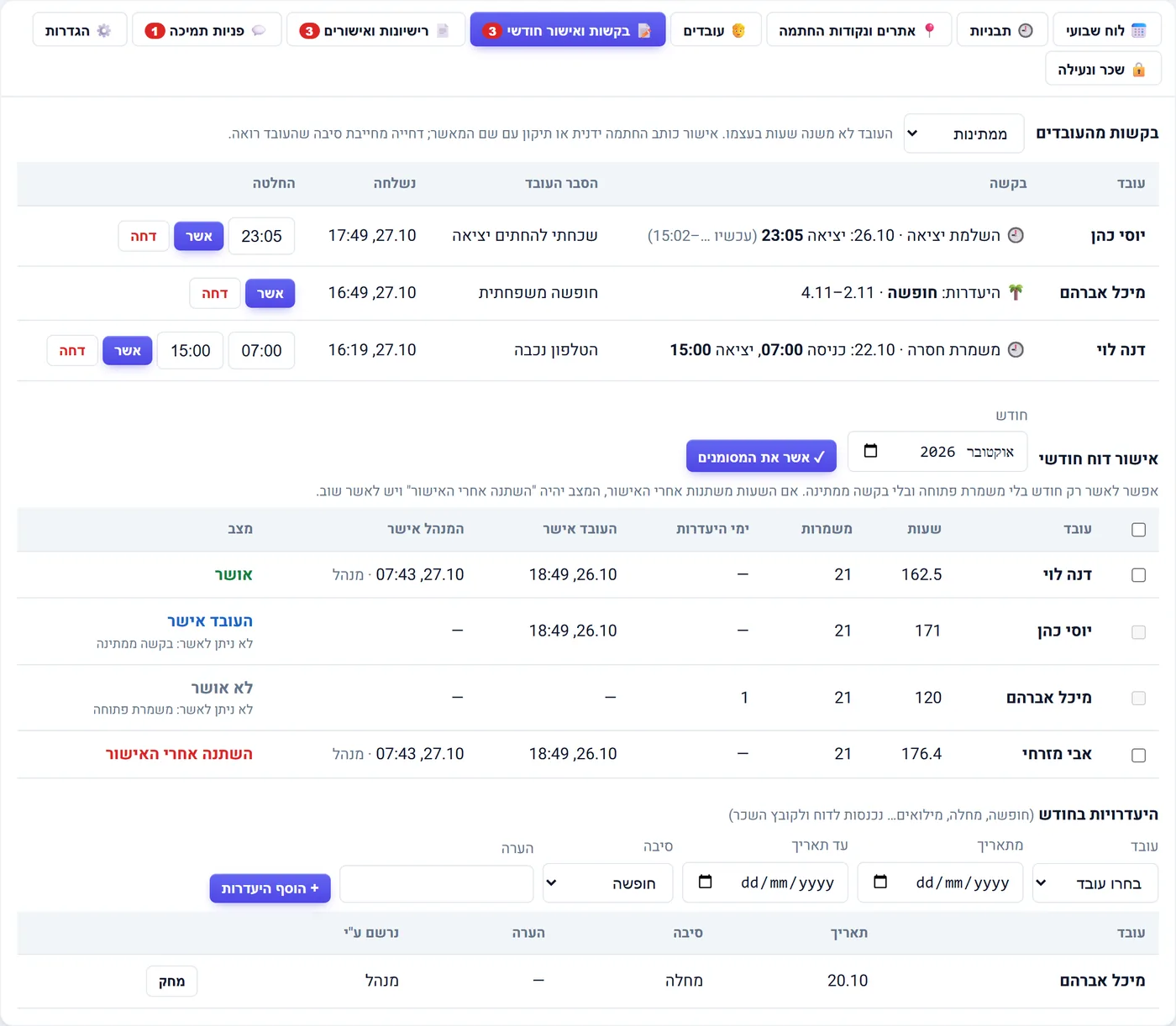
manage · Requests & monthly approval
Correction and absence requests with monthly approval
GPS
on every clock-in and out,
checked against the site geofence
3
manager alerts: late,
no-show, unmanned post
4
work types: on site, from home,
in the field and abroad
CSV
payroll export with night,
weekend and holiday hours
How it works

Four steps — no spreadsheets, no time clock on the wall

Managers work from any browser. Employees only need the app on their phone.

Set up sites and templates

Fixed shifts (morning, evening, night) with hours and days, and sites with a boundary drawn on the map.

Assign on the weekly board

Drag an employee onto a day and shift, or fill the whole week from the templates in one click.

Employees punch on their phone

Clock in, break and clock out in the app. The location is saved, and you can see when someone is off site.

Approve and export to payroll

At month end, approve the hours, lock the period and download a payroll file.
For managers

The weekly roster on one board

A column per day, a row per shift. See at a glance who is assigned, who has clocked in and where someone is missing.

  • Drag and drop: move an assignment to another day in the same shift
  • “Create from templates” fills the week from the fixed shifts
  • A color per status: planned, on shift, finished, no-show
  • Actual clock-in and clock-out times appear on the assignment
  • Attendance without an assignment (e.g. working from home) is shown separately
Weekly board with assignments colored by status
Weekly board: orange planned, green on shift, blue finished, red no-show
For employees

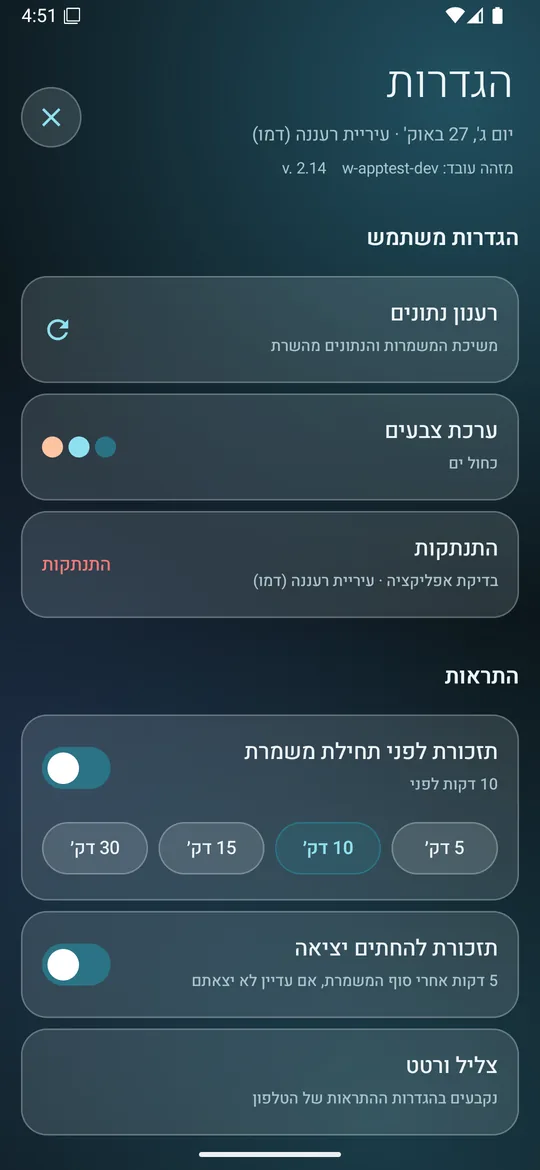
The app: clock in, break and clock out with a tap

Alpha Shifts is a separate Android app. Employees connect with an 8-digit code sent by the manager — no username, no password.

  • Live shift timer, break and clock-out from the main screen
  • GPS location saved on every punch, with a check that the employee is inside the site
  • My shifts for the coming week, with details and a note to the manager
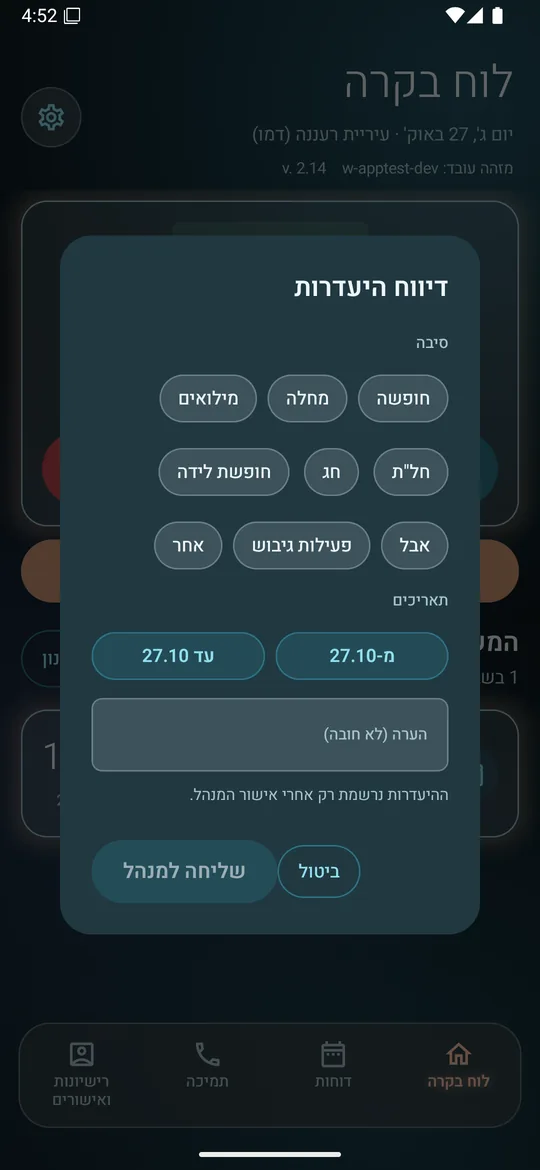
  • Absence reports: vacation, sick leave, reserve duty and more
  • Reminders before a shift starts and before clock-out
Shift details with a note to the manager
Dashboard with an active shift
Absence report: reason and dates
Sites

Know your people are really on site

Draw the site boundary on the map. Punches outside it are flagged, and you can add an NFC point for clocking in at a post.

  • Draw the site boundary right in the form, on a map
  • Employees with a fixed workplace, or mobile across sites
  • Per-employee permission to work from home, in the field or abroad
  • Assign several employees to a site at once
Editing a site with its boundary drawn on the map
Editing a site: the boundary is drawn on the map
Employees

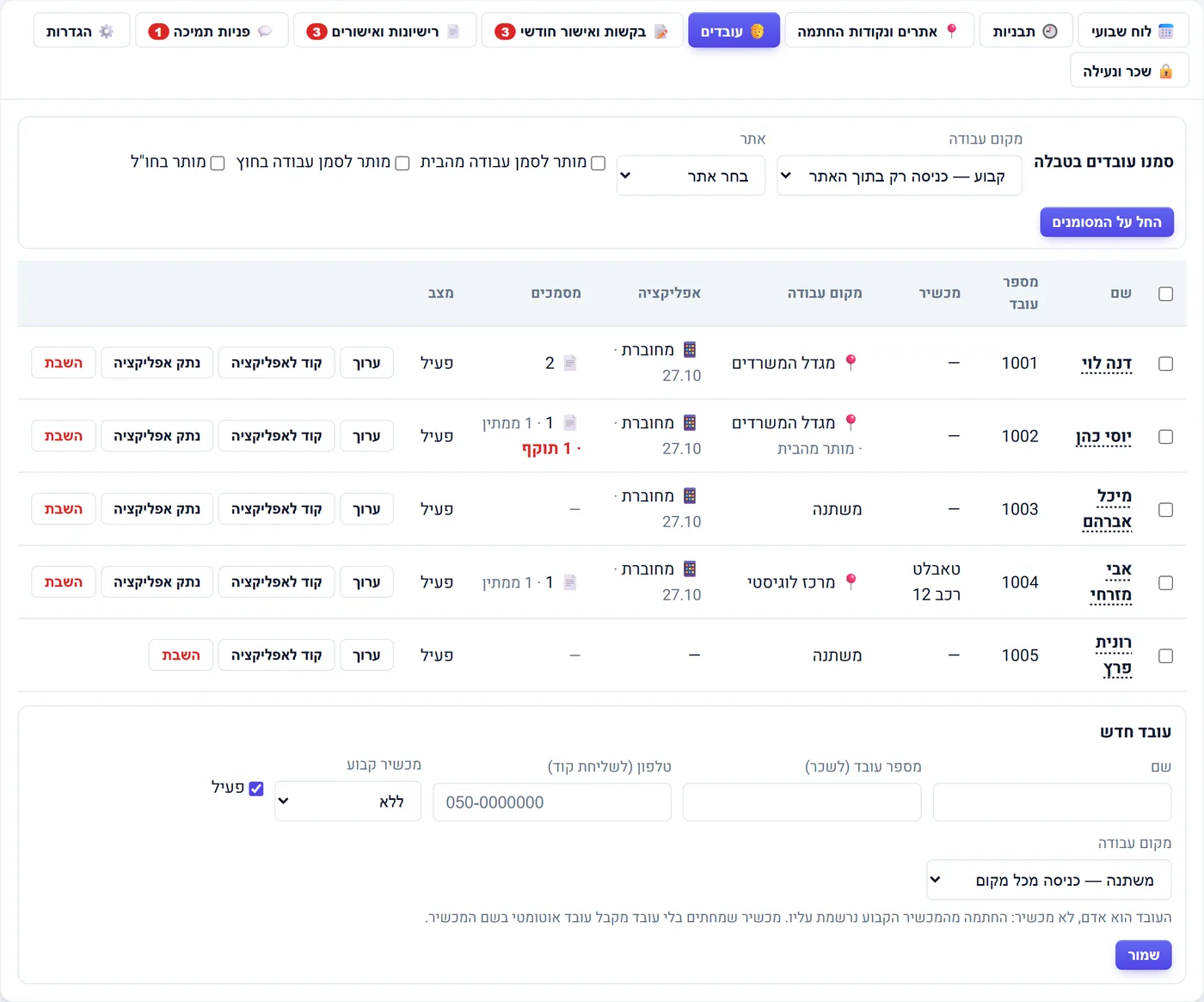
Add an employee and connect them in a minute

Open the employee, click “App code” and send it by WhatsApp or SMS. The employee types the code and starts working.

  • Employee card: details, workplace and this month's hours
  • See who is connected to the app and when they were last seen
  • Disconnect the app from a lost phone in one click
Employee list with app connection status 8-digit connection code sent by WhatsApp or SMS
The employee list, and the connection code sent to the employee
Requests & approvals

Hour corrections, absences and monthly approval

Forgot to punch? The employee requests a correction from the app, and the manager approves or rejects it. At month end each employee confirms their hours, then the manager signs off.

  • Clock-in or clock-out correction requests, with an explanation
  • Absence requests wait for the manager's approval
  • Monthly approval: see who confirmed, who didn't, and who changed something after confirming
Pending requests and monthly approval
Pending requests, with the monthly approval table below
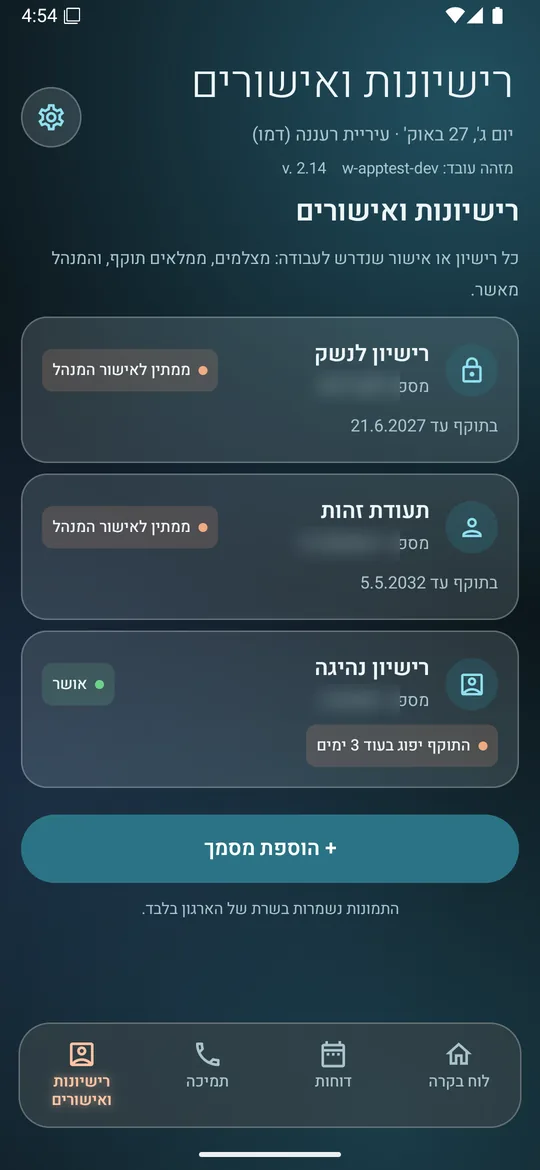
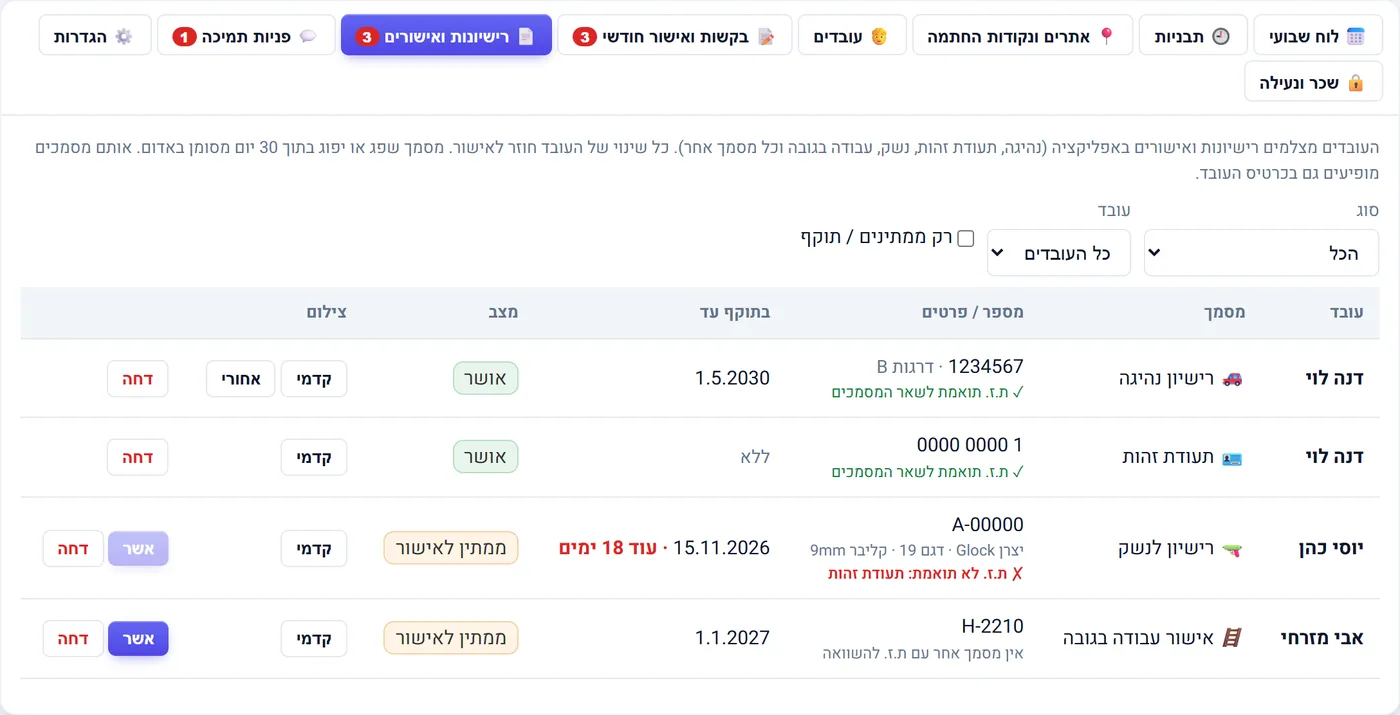
Licenses & certificates

Driving license, firearm license, certificates — with expiry dates

The employee adds the document from the app. The manager approves it and sees in advance what is about to expire.

  • Documents per employee, with number and expiry date
  • “Expired” and “X days left” tags in the list
  • Every new document waits for the manager's approval
List of licenses and certificates with expiry and approval status
Licenses and certificates, with expiry and approval status
Payroll

A payroll file, and locking the month

Pick a month and download a CSV with every employee's hours. Once locked, the month can't be changed, so payroll doesn't shift under your feet.

  • Regular, night, weekend and holiday hours in separate columns
  • Choose which columns are exported and in what order
  • Lock history: who locked and when
Payroll export and period lock
App screens

What it looks like on the employee's phone

A clean dark design with big buttons. Click a screen to enlarge it. Screens are shown in Hebrew.

Who it's for

Any organization that works in shifts

Run Alpha Shifts as a standalone product, or as a module inside Dispatch-360 Ai alongside dispatch and radio.

Security companies

Guards across several sites, posts that must be manned, and licenses that expire.

Hotels

Front desk, housekeeping, maintenance and security, with morning, evening and night shifts all week.

Municipalities and councils

Inspectors, patrols and field staff who never come to the office but still need to clock in.

Service and maintenance companies

Staff moving between customers, working from home or in the field, and a clean hours report for payroll.

FAQ

Good to know

Do I need Dispatch-360 Ai to use it?

No. You can open an organization for shifts and attendance only. If you already use Dispatch-360 Ai, turn on the module and get the same board in the same management interface.

Which phones does the app run on?

The Alpha Shifts app is currently available for Android. The management interface works in any browser, on a computer or a phone.

What if an employee punches in while off site?

The punch is saved with the location and flagged as off site. Employees allowed to work from home, in the field or abroad choose the work type when they punch.

How do the hours get to payroll?

At month end the employees and the manager confirm the hours, then you download a CSV with regular, night, weekend and holiday hours. Once the month is locked it can't be changed.

Is there a guide?

Yes. The full guide for managers and employees (PDF). Screenshots in the guide are in Hebrew.

Let's get started

We'll show it to you on your own staff

A free demo of the board, the app and the payroll export. We'll set up an organization with your sites and shifts so you can try it with a few employees.